Support Ops

Learn to be a customer support pro.

  • Episodes
  • Manifesto
  • Best Of

Don’t Treat the Customer as the Middleman

March 4, 2013 By Chase Clemons Leave a Comment

Most apps out there have some sort of public API to tie in with other apps that your customers might be using. When you’ve got two completely separate apps trying to jive together, things can get fun.

Every so often, I’ll talk with a customer that’s having a problem getting an integration like that to work. A typical support team would treat the customer as a middle man to go between the support teams from each app. But you’re not a typical support team, right?

Customers that contact a support team just want their problem fixed. They don’t want to relay messages from one side to the other. Don’t force them into that role.

Instead, offer to do it for them:

Hi Jane!

That integration’s definitely not working right. Let me contact the team behind it and find out what’s going on. As soon as I have it fixed, I’ll let you know!

– Chase

You’ll save a ton of time for both you and the customer by cutting out that middle man.

An Urgent Reply Email

February 28, 2013 By Chase Clemons 7 Comments

I ran into a problem Saturday with one of my apps and emailed the support team for help. After sending my email, I immediately got a confirmation email back, which is a good thing. Being the support geek that I am, I take the time to read through them to see what kind of language the other team’s using. And this time, I came across a true gem.

If this is an emergency and needs an urgent reply, email us at urgent-reply@myapp.com.

Kind of a cool idea, right? It helps prioritize which emails to be working on. My only hesitation would be in how many customers use it for non-urgent replies thinking they can just skip ahead of the line. I’ve emailed the team to see if they can share some info so hopefully I’ll be able to find out!

Have you seen a urgent reply email address like this in the wild? Good idea or bad?

Rookie Mistake

February 21, 2013 By Chase Clemons Leave a Comment

I had this conversation with a customer today that made me chuckle at myself.

Me: Where are you logging in at? I’ll take a look and see what’s going on.

Customer: My desktop computer.

A rookie mistake on my part. I should have been more clear in what I was asking. It’s a good reminder to make every email as clear as possible.

Three Phrases to Never Use

February 20, 2013 By Chase Clemons 3 Comments

The word no written in red marker

I was talking with a friend about some of the big phrases to avoid when talking with customers. I’ve talked about mine before but wanted to include their big three never, ever, ever say these things to a customer. At least a customer that you want to stick around for a while.

“There’s nothing I can do.”

There’s always something. Even if it means helping your customer find another app that will help them do what they’re looking to do. By doing nothing, you’re just becoming the problem rather than helping to solve the problem.

“That’s just how our policy works.”

What you’re really saying is that you don’t care. Using this phrase permanently shuts down the conversation between you and the customer. When you say that, the customer just hears “I don’t care – deal with it.”

“I don’t know.”

Just because you don’t know doesn’t mean you can’t find out. You’re job is to help the customer. If that means you’ve got to do some digging to find out an answer, do it.

Remember, it’s always you and the customer versus the problem. Avoid these phrases like the plague if you want to keep it that way.

Do you have any other phrases you would add to these?

Customer Support App Reviews

February 14, 2013 By Chase Clemons 2 Comments

If you haven’t noticed yet, we’re pretty fanatical about support. When it comes to the tools we use to support our customers, we’ve tried a lot. Being the sharing types that we are, customer support tool reviews seemed a natural thing to do.

Every support app is a little different. Some focus on covering lots of support channels while others just focus on one. Some are made for big teams and others just for the small teams. Sorting through all of them can be a challenge so let me help out a bit.

Here’s the ones that we’ve taken a look at so far.

Help Scout

Help Scout does one thing really, really well – provide the best way to do email support. The team focuses on that first as the driving force behind their product. And I gotta say, they do it well

Tender

Tender is a great little support app with all of the features a growing support team might need. It seems to be geared toward start-up type organizations, with a minimalist design, only the features you need, and an “easy as email” feel.

Desk

Desk is made by the very successful folks behind Salesforce, a well-known CRM tool. Desk goes beyond emails and tracking tickets, it allows for social media integration, live chat, and even phone support. It’s no wonder then that companies like DirecTV, Square, Vimeo, and many others turn to Desk for their support app. Since it’s the app I use every day at 37signals, I’ve also written about what it’s like from that point of view.

UserVoice

UserVoice provides the whole deal. When you sign up with them, you’ll get feedback forums, a knowledge base system, a support ticket tool, and reporting for all that. It’s definitely targeted towards the company that wants everything in one system.

SupportBee

SupportBee allows you to use an email-based workflow. You can reply to the support request as a normal email and it will be stored on SupportBee and then sent to the customer. That way you can work from inside your email inbox or login to the app and reply to customers from there.

HelpSpot

When you think help desk, think HelpSpot. It’s designed to handle anything you want to throw at it. Email support, phone support, web support – you name it, it can handle it. There’s a reason why big teams like Campaign Monitor and the University of Michigan use it and trust it.

If you use one that’s not listed here, I’d love to add your review to the list. Just get in touch with us here.

Now on to the reviews!

Valued Customer

February 13, 2013 By Chase Clemons Leave a Comment

Dear AT&T Valued Customer,

AT&T needs input from customers like you, to provide the best experience it can to its customers.

For your participation in this important study, you will be entered into a drawing for 1 of 10 $100 Visa Gift cards.

Thank you in advance for your assistance.

If you require technical assistance with the survey, please access our Frequently Asked Questions (FAQ) page for answers to common questions or you may click here to Contact Support.

Just got this email from AT&T. I’m valued but they can’t even use my name? They’ve got it right there on my account with them.

Also, anyone want to take a guess at how complicated the survey was? 18 different “submit this answer” pages. Yikes.

The Person Over the Channel

February 11, 2013 By Chase Clemons Leave a Comment

You’d think that every company out there just discovered how great Twitter, Facebook, Google+, or other social app is for talking with customers. It’s like they all woke up and said “This one’s the magic bullet that will make customers love us!” Just do a search for “customer social media” and you’ll get a ton of results from “social media experts” showing why it’s the best thing since individually wrapped cheese slices.

Except that it’s not. Just like anything else, it’s a tool that’s got to be used by someone on your team. If that person doesn’t understand customers, then that brand new Twitter account you just had them start won’t be worth a pack of… well, individually wrapped cheese slices.

Great support comes from great customer support reps. Hire the right people. They’re able to rock whatever tool you give them.

How Zapier Supports 160+ Services At Once

February 4, 2013 By Micah Bennett Leave a Comment

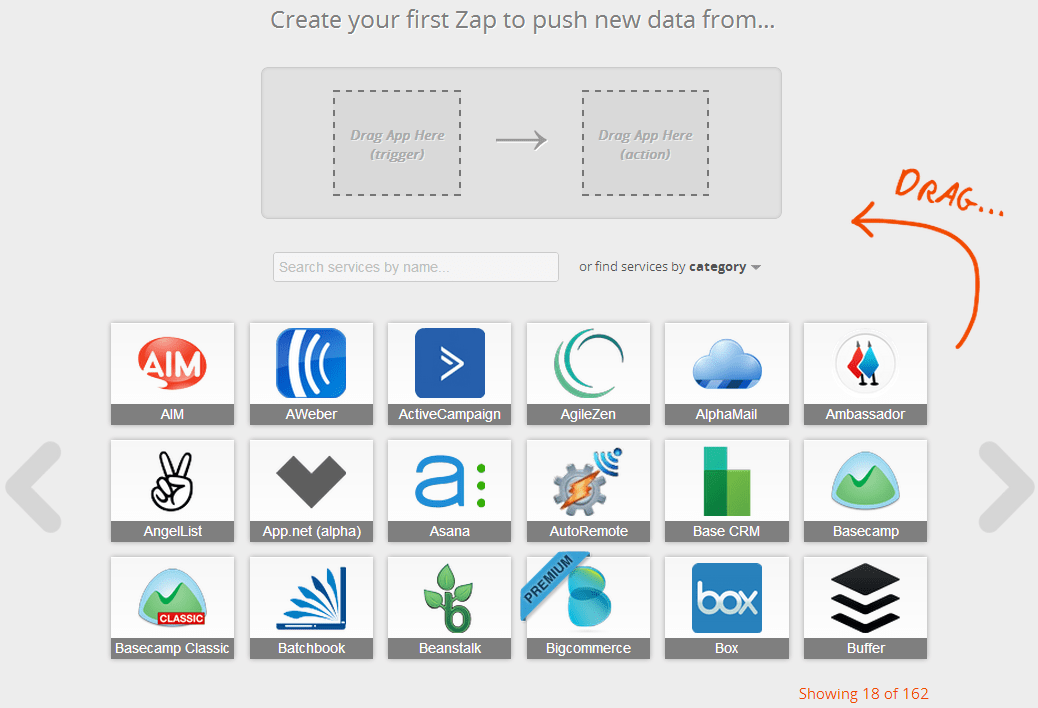
Zapier Options

At Zapier we support integrations between a great number of services, 162 at the time of this writing. We’re very proud of the world of possibilities this unlocks for our users, as the breadth of services combined with multiple options available for each service make the potential uses nearly incalculable.

Our Unique Challenge

However, this nearly limitless functionality comes with it a downside. With 160+ services each having their own nuances and more getting added daily through our developer platform, it’s impossible for any of us to truly know the entire product.

This means that every day we see users who are touching on edge cases of functionality we’ve never seen before, and maybe will never see again. Even more worrisome is that this edge case is often the sole reason those users will need our service, so we have to get it right or lose them as a customer.

We’re essentially asked to find a single square in a Rubik’s cube made of a 160+ Rubik’s cubes, so even if we can satisfy one request, it doesn’t become any easier to answer subsequent requests.

So how do we handle this challenge as a team? How do we satisfy customers who come to us with requests we haven’t seen before, probably won’t see again, and absolutely need to be resolved in order to earn their business?

Head Off Confusion With Design

As a starting point, we do our best to head off confusion with design. Wherever possible we try to adjust help text, error messages, even design elements like buttons in order to keep our users pointed in the right direction, and aware of what exactly we’re able to do for them.

We’re able to keep a handle on this because everyone our team does customer support. Our developers are not divorced from the user experience, and as such they’re clued in to where the pain points are and can make better decisions in what design and functionality they build.

Iterate Quickly

On that note, we also iterate quickly. We’ve streamlined the process of hearing what a user wants to do, finding out if that’s something we can do for them quickly(I’ve become pretty good at reading API docs while live chatting), and then getting it in the hands of our developers.

Our developers, aware of the urgency being so close to the front lines themselves, do a fantastic job of adding features quickly so we can delight those customers with new functionality built just for them.

Become An Efficiency Machine

More personally, we make ourselves into efficiency machines. Because so many issues that come in are one-off problems, we need to be really good at moving through those. We have internal tools that help keep relevant information at our fingertips, and we take advantage of shortcuts where we can to make everything fly behind the scenes.

Find A Way

Lastly, we simply find a way. With so many services at our disposal, we’re often able to find alternative means to meet a user’s needs if the route they propose isn’t possible. A user can’t quite get a Gmail->Dropbox zap working how they want? Turns out switching to our Mailbox->Dropbox zap saves them time and allows them to do more without creating additional zaps to do so.

This is by far the most enjoyable and rewarding part of my job, overcoming an initial obstacle to get a user to his desired use case. That Rubik’s cube made of Rubik’s cubes is just a giant puzzle after all, and solving one piece at a time is how we create satisfied customers.

The Dreaded No Reply Address

February 1, 2013 By Chase Clemons 4 Comments

noreply@myapp.com

Go check your inbox right now. I guarantee you’ve got a few emails from a “noreply@myapp.com”. A quick search through mine yielded 28 different no-reply emails from 28 different companies. It’s not limited to only big companies either. Tiny startups use them to send out their newsletters, invites, notifications, etc.

When I get an email from a no-reply address, I know that company doesn’t want to hear from me. They’re telling me that while I need to read this email, they won’t be reading any replies that I want to send them about it. They can consume my time but they won’t spare any of their time for me.

In short, they don’t care.

Sometimes it’s unintentional. A new startup sees that other businesses are doing it so they do. Sometimes it’s intentional because a company doesn’t want to get bombarded by auto-responders about being out of the office. And sometimes it’s justifiable. If your app sends out email notifications for certain actions, like checking off a to-do or sending a message, then I can understand the use of a no-reply email address.

But overall, stay far, far away from them.

You want your customers to be talking to you. You want them sharing ideas and experiences with you. Instead of a no-reply, set it to your support email address. Make sure someone will see any replies that a customer sends. Sure, you’re going to get lots of auto-responders. That’s why your email app has filter and rules you can set up.

Embrace the idea of a yes-reply email address. It’ll keep that communication lane open between you and your customer. It’ll make customers realize that you do value their time and will give them some of yours if they want it.

Your goal should be to talk more with your customers. Switching your no-reply addresses over will be a great first step towards it.

Note: Joss Crowcroft and Campaign Monitor both have great posts on this same topic for your reading pleasure.

A Pleasant Surprise

January 30, 2013 By Chase Clemons Leave a Comment

Southwest Birthday CardI got this in the mail the other day. Since I fly every now and then for work, I signed up for the Southwest rewards club. They’ve got my birthday in some huge database that automatically sends these out. But that’s okay. I know someone at Southwest came up with the idea and worked to make sure all their rewards customers get a birthday card. It’s a pleasant surprise that adds to the overall experience with them.

They even “signed” the inside!

Inside of the Southwest Birthday Card

  • « Previous Page
  • 1
  • …
  • 6
  • 7
  • 8
  • 9
  • 10
  • …
  • 14
  • Next Page »
A weekly podcast that helps you deliver a better support experience to your customers.

Read Our Guides
Support Kit
A Brief Guide to a Better Email

Find a Specific Episode

Copyright © 2026 Support Ops

Loading Comments...